TVer is Japan’s free official TV streaming service — and it’s geo-blocked, so it won’t play abroad. If you just want the fix, here it is.
The Quick Answer
To watch TVer from outside Japan:
- Get a VPN with reliable Japanese servers — I used NordVPN for six years and it’s what I’d point you to.
- Connect to a Japan server in the VPN app
- Open tver.jp in a desktop web browser — not a phone browser (more on that below). It should now play
That’s the whole method. A VPN’s 30-day refund window lets you test it on TVer before committing. The rest of this guide is what TVer actually is, why it’s worth the trouble, and the device gotcha that catches people out.
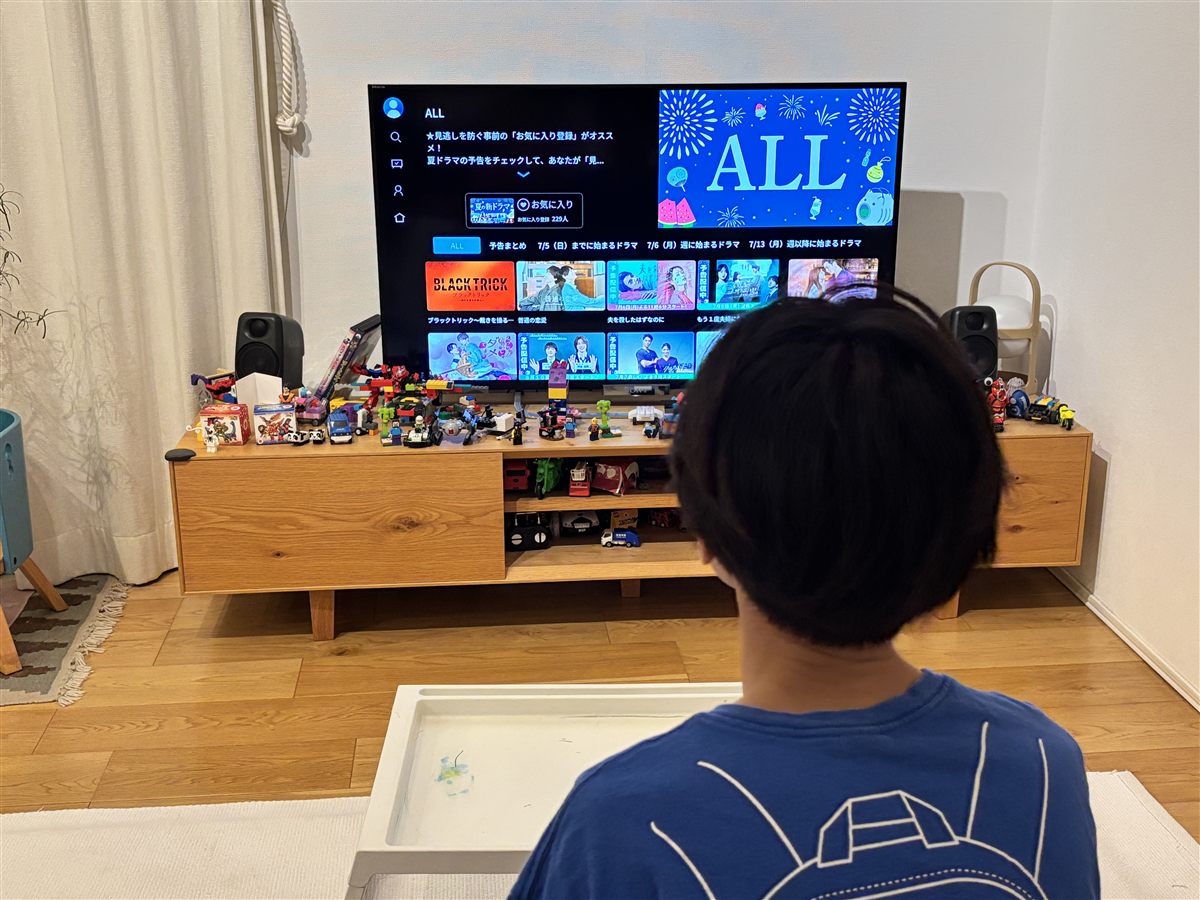 This is TVer at home in Chiba — browsing the upcoming summer drama lineup on our TV. We actually use this service; that’s the whole reason we can tell you how it behaves. (June 2026)
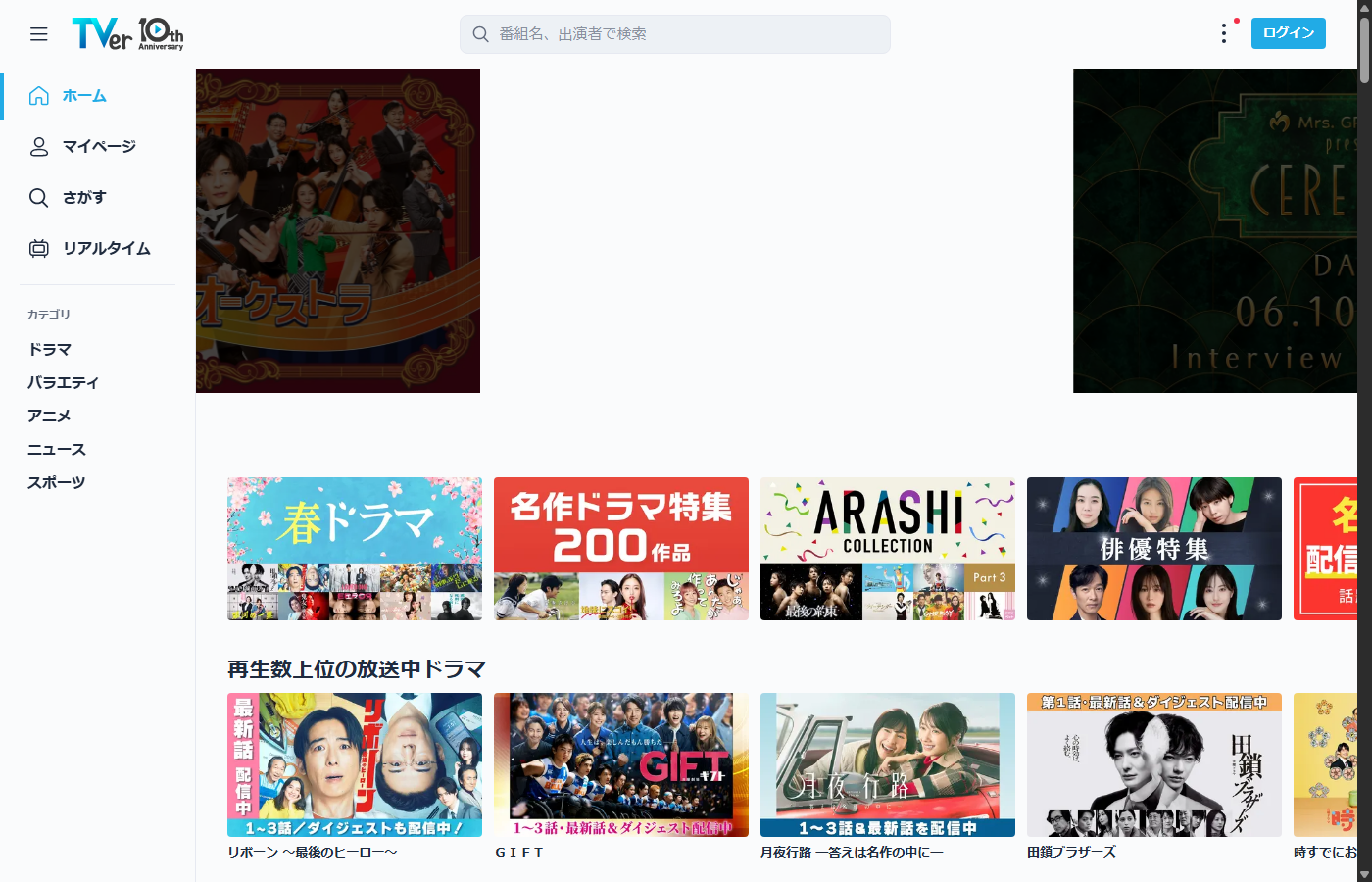 TVer’s homepage, captured from here in Japan. Source: tver.jp
What Is TVer, Exactly?
TVer (pronounced “tee-vah”) is the official, completely free TV streaming service of Japan’s commercial broadcasters — Nippon TV, TV Asahi, TBS, TV Tokyo, Fuji TV and their affiliates. It’s ad-supported, the same way the networks make their money on broadcast, so there’s no monthly fee, no registration fee, and no account required to watch. (You can make a free TVer ID for favorites and continue-watching, but you don’t need one.)
It’s not a niche service, either — TVer passed roughly 5 billion monthly streams in 2026. Inside Japan, it’s mainstream.
Four things you can do on it, all free:
- Catch-up (見逃し) streaming — watch programs you missed after they air. This is the core feature: dramas, variety shows, anime
- Real-time streaming (リアルタイム配信) — since April 2025, TVer streams the major networks’ terrestrial broadcasts live, nationwide. You can watch Japanese TV as it airs
- Past-program archives — selected older shows brought back for a run
- Live event streams — one-off live broadcasts
Two honest limits built into the model:
- Not everything is on it. TVer carries a selection of what airs, not the entire schedule. Some shows never appear due to licensing
- Catch-up has a window. Missed-broadcast episodes stay up for a limited period after airing, then rotate off. It’s catch-up TV, not a permanent back-catalog
Why It’s a Goldmine for Learners and Fans
Two groups should care about TVer specifically:
Japanese learners. This is real, current, native-speed television — not textbook dialogue. Variety shows pile on-screen Japanese telop text constantly, which is unusually good for reading practice, and some programs offer Japanese closed captions (marked “CC”). And it’s free.
J-drama fans. Most dramas never get licensed overseas, or arrive months late on paid platforms. TVer has them the morning after they air — or, with real-time streaming, as they air in Japan.
The only reason TVer isn’t a household name among Japan fans worldwide is the wall we’ll talk about now.
The Problem: TVer Is Geo-Blocked
TVer checks your IP address. If it’s not Japanese, you get an error and the videos won’t play. This isn’t a bug — the broadcasters’ content licenses are for Japan only, so TVer is contractually required to block overseas access.
That’s the same reason Netflix libraries differ by country. The content is fine; the geography is the gate.
The Device Gotcha: Use a PC Browser
This is the one thing that catches people out, verified from using TVer here in Japan (2026):
| Device | How TVer works |
|---|---|
| PC / laptop | ✅ Plays in a normal web browser at tver.jp — no app needed |
| Phone / tablet | ❌ The mobile browser does not work — even with “desktop mode” on. Inside Japan, phone viewing requires the TVer app |
Many overseas guides just say “open tver.jp” — but on a phone that won’t play video. So over a VPN, the reliable route is a computer, in a normal browser.
About the phone app: inside Japan, mobile viewing is done through the TVer app, but whether that app can be downloaded and used from outside Japan is something we haven’t tested — so we won’t claim it works. If a computer isn’t an option, treat mobile as unverified and test it inside your VPN’s refund window.
Which VPN to Use
Picking a VPN for TVer comes down to three things:
| Requirement | Why it matters |
|---|---|
| Working Japanese servers | TVer actively blocks some VPN IPs; you need one that keeps its Japan servers usable |
| Speed | HD video needs steady bandwidth — a slow VPN means buffering |
| A free trial or refund window | So you can test TVer specifically before committing |
I used NordVPN for about six years to do the reverse of what you’re doing — reaching overseas content from Japan — across both Japanese and overseas servers, and speed was never the problem. It also runs a large fleet of Japanese servers, which is exactly what TVer access needs. My full write-up, including the one thing that annoyed me, is here: NordVPN review from 6 years of use.
Check NordVPN plans (30-day refund) →Other providers like ExpressVPN and Surfshark also advertise Japanese servers for streaming; we haven’t personally tested those against TVer, so we’d point you to their own refund windows to try them.
Note: using a VPN with TVer is subject to TVer’s terms of use. This guide is informational.
Does TVer Have English Subtitles?
Short answer, honestly: no. TVer is built for viewers in Japan, and there is no English-subtitle option anywhere in the player. Watching it here at home, the captions you’ll actually encounter are:
- Japanese closed captions, marked “CC” — TVer has an official, toggleable closed-caption feature (confirmed on TVer’s own help pages), available on PC browsers, the mobile app, and TV apps like Fire TV Stick. It’s Japanese-only, built for Japanese viewers (originally an accessibility feature), and only some programs support it — availability depends on whether caption data existed at production or was added for rebroadcast rights
- Decorative on-screen text (telops) all over variety shows — big colorful Japanese captions that are burned into the show itself, completely separate from the CC system
A few practical notes so you know what you’d be getting:
- Your browser’s translate feature can translate TVer’s menus, but it cannot touch subtitles or any text inside the video itself
- Third-party browser extensions exist that claim to overlay translated subtitles on TVer. We haven’t tested them, so we won’t vouch for how well they work — treat them as an experiment, not a promise
- For Japanese learners, the lack of English is honestly the appeal: native-speed TV, Japanese CC captions on supported shows for reading along, and endless telop text on variety shows. If you’re studying, TVer plus a VPN is one of the best free immersion setups there is
- If you can’t follow spoken Japanese at all and want J-dramas with official English subtitles, the realistic route is the overseas service that licensed the specific show — Netflix does license some, and Viki carries a modest, growing selection of Japanese titles (it’s much better known for Korean dramas) — but it varies per drama, not TVer
So the honest split: TVer is a goldmine for learners and for fans who don’t mind watching raw — and the wrong tool if you need English subtitles to follow the plot.
A Few Honest Caveats
- Ads play either way — TVer is ad-supported even inside Japan; a VPN doesn’t remove them
- Catch-up has a window — if a show aired a while ago, it may already have rotated off. Watch promptly
- Use a PC browser for the reliable route — TVer plays in a desktop browser but not a mobile browser; whether its app works from abroad is unverified, so a computer is the safe bet
- VPN blocking is a moving target — services and VPNs play cat-and-mouse, which is why a refund window matters more than any single “best VPN” claim
- It’s in Japanese — no English subtitles. Some shows offer Japanese closed captions (marked “CC”), great for learners, but there’s no English option
What’s On TVer Right Now?
The lineup changes every broadcast season (Japan runs on quarterly cours: January, April, July, October). We’re planning a regularly-updated “what’s on TVer this season” guide — for now, the full streaming services overview maps how TVer fits alongside ABEMA, NHK ONE, U-NEXT and the rest.
FAQ
Is TVer really free? Yes — 100% free, ad-supported, run by the broadcasters themselves. No monthly fee, no registration fee. Everything streamed on TVer is free to watch. (You still pay your own internet/data costs, as with any streaming.)
Do I need to create an account? No. You can watch without any login or TVer ID. Making a free account just adds conveniences like favorites and continue-watching.
Can I watch Japanese TV live on TVer? Yes — since April 2025 TVer streams the major networks’ terrestrial broadcasts in real time, nationwide.
Should I watch on my phone or my computer? For watching over a VPN, use a computer. TVer plays in a PC web browser, but the mobile browser doesn’t work (desktop mode won’t fix it). On phones, viewing inside Japan is done through the TVer app — but we haven’t tested whether that app can be downloaded or used from abroad, so we can’t promise it works. A PC browser is the predictable route.
Does TVer have English subtitles? No — there’s no English-subtitle option in the player. Some programs offer Japanese closed captions (marked “CC”), which is great for learners, but for English subs on a specific drama you’ll need the overseas service that licensed it. Details in the section above.
Will any VPN work? No — TVer blocks many VPN IP ranges, and free VPNs especially tend to fail. You want a paid VPN with maintained Japanese servers and, ideally, a refund window so you can test TVer before paying long-term.
Is it legal to watch TVer with a VPN? The service is 100% legal and official. Using a VPN to access it is a matter of TVer’s terms of use rather than law in most countries — we’d point you to TVer’s own terms to decide for yourself.
This post contains affiliate links — see our disclosure. Written from Chiba, Japan, where TVer is a tap away — checked June 2026. English-subtitle section added July 2026.